Typing is one of those everyday office skills most people use without thinking much about it—until slow speed starts holding them back. Whether you’re preparing reports, writing emails, or entering data, typing efficiently can save hours every week. Many office workers notice that despite years of computer use, their typing speed never really improves. The good news is that anyone can become a faster, more accurate typist with consistent practice and the right habits.
Why Typing Speed Matters in the Office
In modern office settings, speed and accuracy go hand in hand. A faster typing speed allows you to respond quickly to messages, complete documents faster, and maintain focus on your work. When you don’t have to look at the keyboard constantly, you reduce mistakes and fatigue, leading to higher productivity. Over time, typing efficiently becomes second nature, helping you manage time better throughout the day.
 Creating Accessible Learning Pathways for Students with Disabilities
Why Typing Speed Often Stays Low
Many people type daily yet never see improvement because they rely on bad habits developed early on. Some use only a few fingers instead of all ten, while others keep glancing at the keyboard, breaking their concentration. Poor posture, awkward keyboard placement, and lack of regular practice also slow progress. In most cases, the issue isn’t ability—it’s technique. Once these small habits are corrected, typing speed naturally increases with practice.
Step 1: Learn Proper Finger Placement
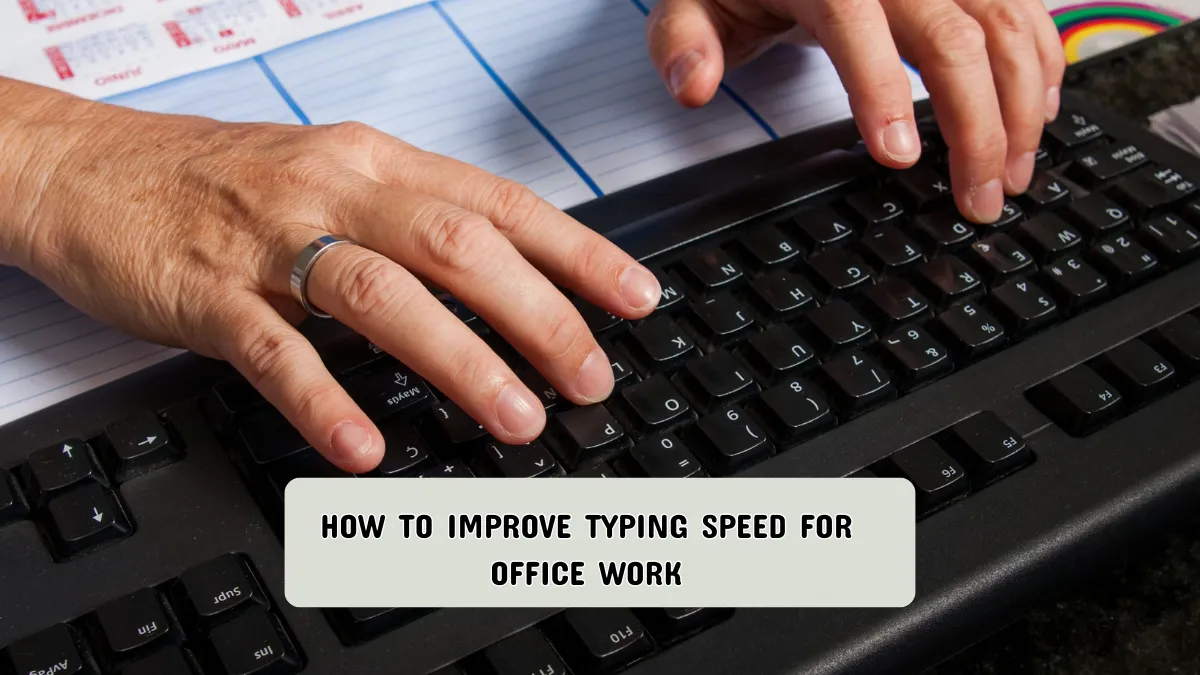
Every good typist starts with the correct hand position. Place your fingers on the “home row” keys—A, S, D, and F for the left hand and J, K, L, and ; for the right. Keep your thumbs lightly resting on the spacebar. When you type each letter, return your fingers to this position. At first, this may feel awkward, but it forms the foundation for faster typing. You can practice by typing short sentences slowly until your hands learn the motion automatically.
 The Role of Technology in Making Education Accessible for Everyone
Step 2: Maintain Good Posture and Ergonomics
Posture plays a big role in typing speed and comfort. Sit with your back straight and shoulders relaxed. Your elbows should be close to your sides, and your wrists should float slightly above the keyboard—not rest on the desk. A proper setup helps reduce tension and prevents fatigue, especially during long typing sessions. Consider using an adjustable chair or ergonomic keyboard if you work at a desk for long hours.
Step 3: Practice Touch Typing Daily
Touch typing means typing without looking at the keys. It may seem difficult at first, but it’s the fastest and most efficient way to type. Start by using simple typing practice websites or free software that guide you through short lessons. Aim for consistency, not speed. Practicing just 10–15 minutes daily helps your brain and fingers remember the key locations naturally. Over time, your accuracy and speed will both improve.
 Empowering Students Through Accessible and Inclusive Learning Programs
Step 4: Focus on Accuracy Before Speed
Many people try to type faster before they’ve built accuracy, which leads to more errors and frustration. Instead, focus on hitting the correct keys every time. Speed will come naturally as your accuracy improves. A good rule of thumb is to type slowly enough that you can stay mistake-free, then gradually increase your pace. Remember, accuracy builds confidence, and confidence builds speed.
Step 5: Use Online Typing Tests to Track Progress
Tracking your progress helps you stay motivated. Online typing tests measure your words per minute (WPM) and accuracy rate. You can compare your results weekly or monthly to see real improvement. Aim for small goals, like reaching 40 WPM, then 50, and so on. Even a few extra words per minute can make a big difference in how quickly you complete office tasks.
 Innovative Teaching Tools for Inclusive and Accessible Classrooms
Step 6: Learn Common Keyboard Shortcuts
Keyboard shortcuts save time by reducing your need for the mouse. For example, use Ctrl + C to copy, Ctrl + V to paste, and Ctrl + Z to undo mistakes. Most office software has built-in shortcuts that help you navigate faster. Once you learn these commands, your overall typing efficiency increases dramatically. You can even print a shortcut list and keep it near your workspace for quick reference.
Step 7: Avoid Bad Typing Habits
One of the biggest obstacles to improvement is sticking with bad habits. Avoid typing with just two fingers or keeping your eyes glued to the keyboard. Don’t rush through practice sessions—focus on accuracy and posture. Another common mistake is ignoring breaks; hands and wrists need rest, especially during long office hours. Short breaks every hour prevent strain and help maintain steady performance.
 Accessibility in Education: Bridging the Gap Between Policy and Practice
Helpful Tips to Boost Your Progress
Practice with meaningful content like your daily emails or office notes rather than random words. This keeps your sessions practical and less repetitive. Also, listen to soft music if it helps you focus, but avoid distractions like phone notifications. Typing games can make practice enjoyable and help build muscle memory naturally. Finally, stay patient—typing speed builds over time, not overnight.
Common Mistakes to Avoid
- Looking down at the keyboard too often
- Ignoring proper posture
- Focusing on speed before accuracy
- Practicing inconsistently
- Typing while tired or distracted
FAQs
Q1: How long does it take to see improvement in typing speed?
Most people notice improvement within two to three weeks of daily practice. Consistency matters more than duration. Practicing 15 minutes every day is more effective than typing for an hour once a week.
Q2: What is a good typing speed for office work?
A comfortable speed for office tasks is around 50 to 60 words per minute. However, accuracy and comfort are more important than hitting a specific number.
Q3: Are typing lessons worth it for adults?
Yes. Typing lessons can help adults unlearn bad habits and adopt correct techniques quickly. Many online resources are free and suitable for all experience levels.
Q4: Does using a mechanical keyboard improve speed?
Some people find mechanical keyboards more responsive and comfortable, but speed depends mainly on technique and practice, not equipment.
Q5: Can I improve typing speed on a laptop?
Absolutely. Laptop keyboards have shorter key travel, which can even help you type faster once you adjust to the layout.
Conclusion
Improving typing speed for office work doesn’t require expensive tools or long hours—it’s about consistent, focused practice and small daily improvements. Start by learning proper hand placement, maintaining good posture, and emphasizing accuracy. Over time, these habits turn typing into a smooth, almost automatic process. With patience and regular effort, you’ll notice yourself working more efficiently, completing tasks faster, and feeling more confident at your desk every day.
✨ You May Also Like ✨