
Education is a right, not a privilege — yet millions of students with disabilities still face invisible barriers that prevent them from reaching their full potential. From inaccessible classrooms to limited digital resources, the challenges can be overwhelming. Creating accessible learning pathways is not only about compliance or inclusion—it’s about equity, empowerment, and opportunity. When learning environments are accessible, they nurture independence, confidence, and lifelong learning. This article explores how schools, educators, and communities can build inclusive educational systems that work for every student, regardless of ability.
Understanding the Importance of Accessibility in Education
Accessibility in education goes beyond ramps and sign language interpreters. It means ensuring that all students, including those with physical, cognitive, sensory, or emotional disabilities, can engage fully in learning experiences. According to UNESCO, nearly 240 million children worldwide live with disabilities, yet only a fraction of them receive the education they deserve. The key to reversing this trend lies in reshaping how we think about learning—focusing on flexibility, adaptability, and universal design principles that empower every learner to succeed.

For educators, accessibility also creates more inclusive classrooms where empathy and collaboration thrive. When schools accommodate diverse learning needs, they prepare all students to live and work in inclusive societies.
The Role of Universal Design for Learning (UDL)
Universal Design for Learning (UDL) offers a research-based framework to make education more inclusive. Rather than retrofitting accessibility after the fact, UDL integrates it from the start. It encourages educators to create lessons that cater to different learning styles and abilities through multiple means of engagement, representation, and expression.
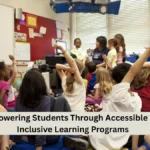
For instance, a lesson on climate change could include videos for visual learners, transcripts for hearing-impaired students, and interactive simulations for those who learn best through experience. This approach benefits not only students with disabilities but all learners by recognizing that diversity in learning is natural, not exceptional. Schools that adopt UDL often see increased participation, reduced dropout rates, and improved overall student outcomes.
The Power of Assistive Technology
Assistive technology (AT) is revolutionizing accessibility in education. From screen readers and speech-to-text tools to communication devices and adaptive keyboards, technology enables students with disabilities to access information and express themselves more effectively. For example, students with dyslexia may use text-to-speech software to read digital books, while visually impaired learners can navigate lessons using Braille displays or magnification tools.
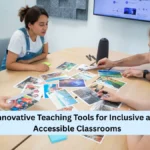
Advancements in artificial intelligence have further expanded AT’s potential. Smart captioning, voice recognition, and predictive text tools are making digital learning environments more accessible than ever. However, for technology to be truly effective, it must be integrated thoughtfully into classroom strategies and paired with teacher training to ensure equitable use.
Teacher Training and Inclusive Pedagogy
Teachers are the foundation of accessible education. Their understanding, empathy, and skill in addressing diverse needs determine the success of inclusion efforts. Unfortunately, many educators lack specialized training in inclusive teaching. Schools must invest in professional development that helps teachers understand various disabilities, adapt materials, and create differentiated instruction.
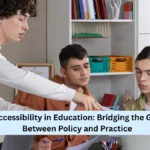
Inclusive pedagogy focuses on flexibility. For example, instead of relying solely on written exams, teachers might offer oral presentations, project-based learning, or digital portfolios. By assessing students based on what they know rather than how they communicate, educators can ensure fairer evaluation methods.
Collaboration also plays a vital role. Special educators, general teachers, therapists, and families working together can design individualized learning plans that address each student’s strengths and challenges.
Building Accessible Physical and Digital Environments
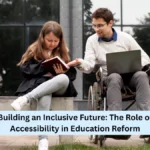
Accessibility starts with the learning environment itself. Physical spaces should be designed with inclusivity in mind—ramps, elevators, adjustable desks, and sensory-friendly classrooms are essential features. But in today’s digital age, accessibility must also extend to online learning platforms.
Accessible digital content ensures that every student can navigate and learn independently. This includes adding alt text to images, providing transcripts for videos, and ensuring that websites are compatible with screen readers. Schools that adopt accessibility standards such as the Web Content Accessibility Guidelines (WCAG) can offer a seamless learning experience for all students.
Moreover, digital accessibility benefits everyone. For instance, captions on videos not only help students with hearing impairments but also support learners in noisy environments or those who prefer reading over listening.
Overcoming Barriers: Common Challenges and Solutions
Creating accessible learning pathways is not without challenges. Limited funding, lack of awareness, and insufficient training often hinder progress. Many schools operate under outdated policies that do not prioritize accessibility. To overcome these barriers, leadership commitment is essential. Administrators must view accessibility as a strategic priority rather than an afterthought.
A practical solution involves conducting accessibility audits—systematic reviews of teaching materials, technology, and infrastructure to identify gaps. Involving students with disabilities in these evaluations ensures that real experiences guide improvements. Additionally, partnerships with disability organizations and advocacy groups can provide valuable insights and support.
Collaboration Between Schools, Families, and Communities
Accessibility thrives in environments where collaboration is strong. Families are critical partners in identifying a child’s strengths, preferences, and needs. Schools that engage parents in the educational process tend to develop more effective support systems.
Community organizations also play a vital role by offering resources such as therapy, mentoring, and after-school programs. When schools, families, and community partners work together, they create a holistic support network that empowers students to succeed academically and emotionally.
For example, a school might collaborate with a local nonprofit to provide mobility training for visually impaired students or invite therapists to conduct workshops for teachers. Such initiatives build trust and foster long-term success.
Policy and Advocacy for Inclusive Education
Inclusive education policies set the framework for lasting change. Governments must ensure that disability rights are reflected in national education strategies. Laws promoting equal access, reasonable accommodations, and non-discrimination are fundamental to progress.
However, policies alone are not enough—they require enforcement and continuous evaluation. Schools must be held accountable for implementing accessibility standards, and funding should be allocated for training, infrastructure, and assistive technology. Advocacy from parents, educators, and organizations remains crucial to keep inclusivity at the forefront of educational reform.
The Future of Accessible Learning
The future of education lies in personalization. With advancements in technology and neuroscience, schools can now tailor learning experiences to individual needs more effectively than ever before. Artificial intelligence, virtual reality, and adaptive learning platforms hold enormous potential to make learning more immersive and inclusive.
For example, virtual reality can simulate real-world experiences for students with mobility impairments, while AI-based learning systems can analyze patterns to suggest customized support strategies. The key is to ensure these innovations remain inclusive, ethical, and accessible to all.
Conclusion: Turning Inclusion into Action
Creating accessible learning pathways for students with disabilities is not a one-time initiative—it’s an ongoing commitment to equity and empathy. Every teacher, policymaker, and parent has a role to play in making education inclusive. When barriers are removed, students with disabilities not only thrive but also enrich the learning experience for everyone.
Accessibility is not about special treatment—it’s about equal opportunity. By embracing inclusive design, leveraging assistive technology, and fostering collaborative environments, we can create schools that truly welcome every learner. The journey toward accessibility begins with awareness but succeeds through action.
FAQs
What does accessible learning mean for students with disabilities?
Accessible learning means creating environments where students with disabilities can fully participate and succeed in education.
How can teachers make lessons accessible for all learners?
Teachers can use flexible teaching methods, assistive tools, and multiple formats to accommodate various learning needs.
Why is assistive technology important in education?
Assistive technology empowers students with disabilities to communicate, learn, and access educational materials independently.
What role do parents play in accessible education?
Parents provide insight into their child’s needs and collaborate with educators to build personalized learning strategies.
How can schools improve accessibility for students with disabilities?
Schools can conduct accessibility audits, train staff, adopt UDL, and integrate inclusive technology into classrooms.
✨ You May Also Like ✨