

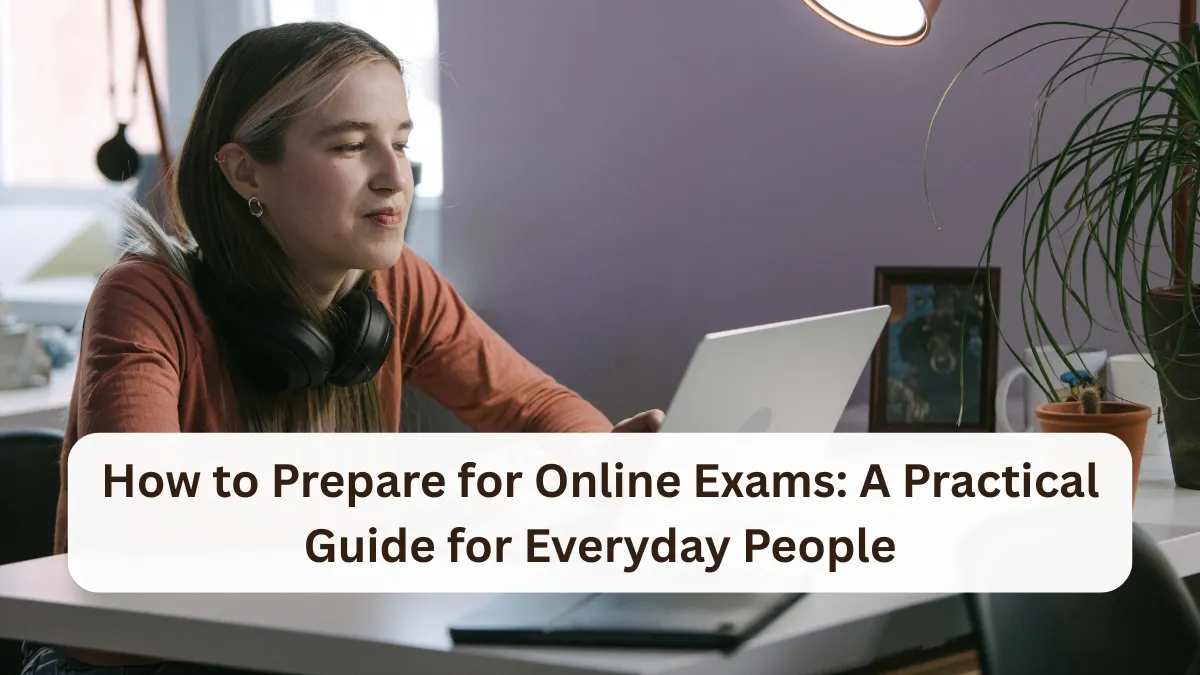
Taking an exam on a computer or phone sounds simple, but many people find online tests more stressful than in‑person exams. The screen, the timer, the unfamiliar software, and the pressure to do well can all add up. Whether you’re a high school student, a college learner, a working professional getting a certification, or a senior taking a community course, feeling unprepared for an online exam is very common.
This guide walks you through why online exams feel so challenging and what you can do, step by step, to prepare the right way. The goal is to help you feel calmer, more organized, and more confident when you click “Start.”


Why Online Exams Feel So Hard
Online exams create problems that traditional paper tests usually don’t. Understanding these problems makes it easier to fix them.
1. Technology issues and uncertainty
With online exams, you are not just worrying about the questions. You are also thinking about:

- Will my Wi‑Fi drop?
- Will my laptop freeze?
- What if I click the wrong button?
Many people in the US take exams from apartments with shared Wi‑Fi, older laptops, or even public computers. That uncertainty alone can raise anxiety.
2. Distractions at home
At home or in a dorm, you might be dealing with:

- Kids running around
- Roommates talking
- TV noise in the background
- Phone notifications popping up
Unlike a quiet exam hall, you have to create your own test environment. That takes planning.
3. Poor time management
On a computer, it’s easy to lose track of time. You might:

- Spend too long on one question
- Rush at the end
- Get thrown off by a timer on screen
Many online exams are strictly timed, and once the clock hits zero, it’s over.
4. Not knowing the exam platform
Every exam system looks a little different. Some show one question per page; others show all questions at once. Some have a “flag” feature; others do not. When the format is unfamiliar, people waste time figuring it out instead of focusing on the content.

5. Studying the wrong way for online tests
Some people prepare for online exams the same way they would for open‑book quizzes or simple multiple‑choice tests, assuming they can “look things up.” But many online exams:
- Lock the browser
- Restrict copy/paste
- Use strict timers
- Include application or case‑based questions
If you rely on searching for answers during the test, you usually run out of time and feel overwhelmed.
Step 1: Understand the Exam Details Early
This is your foundation. If you skip this step, everything else becomes harder.
Confirm the basics
A few days (or even weeks) before the exam, make sure you know:
- Exact date and time (and time zone, if your course is online)
- How long you have (for example, 60 minutes for 50 questions)
- Type of questions (multiple choice, short answer, essays, case studies)
- Whether the exam is open‑book or closed‑book
- Whether you can move back and forth between questions
If you’re in the US taking a community college class, for example, your professor might list this in the syllabus or learning portal. Read those details carefully instead of assuming.
Learn the rules and requirements
Check for:
- Allowed devices (laptop only, or tablet allowed?)
- Browser requirements
- Whether you need a webcam and microphone
- Whether a proctoring system is used
If anything is unclear, email your instructor or course support staff. It’s better to ask one “basic” question than to be surprised on exam day.
Step 2: Get Comfortable with the Technology
You don’t want the exam to be your first time using the system.
Do a practice run
If your course offers:
- A practice quiz
- A sample exam
- A “test your system” link
Use it. Treat it like a mini‑rehearsal. Click through screens. Check how to:
- Move between questions
- Flag questions to review later
- Submit the exam
If your program does not offer a practice test, ask for screenshots or written instructions so you at least know what to expect.
Check your devices
A day or two before the exam:
- Restart your laptop or desktop.
- Install any pending updates so they don’t start during the exam.
- Close unnecessary apps, especially those that might pop up notifications.
If you’re using a shared device at home, let others know not to log you out or shut down the computer around your exam time.
Test your internet connection
If you’re in an apartment with spotty Wi‑Fi:
- Sit closer to the router during the exam.
- Ask others in the home to pause streaming (TV, gaming, large downloads).
- Have a backup if possible, like a mobile hotspot, in case your main Wi‑Fi drops.
You don’t need perfect internet, but you do need a connection stable enough to avoid constant logouts.
Step 3: Create a Realistic Study Plan
Online exams reward consistent, steady preparation more than last‑minute cramming.
Break the material into chunks
Instead of saying, “I’ll study everything this weekend,” divide your topics:
- Day 1–2: Chapter 1–3 (main concepts + key terms)
- Day 3–4: Chapter 4–5 (examples and practice problems)
- Day 5–6: Review and timed practice
Even if you are working full‑time and can only spare 30–60 minutes per day, a small, regular schedule is more effective than a single long late‑night session.
Match your practice to the exam format
If your test is:
- Mostly multiple choice: Practice answering questions quickly and recognizing patterns.
- Short answer: Practice writing concise explanations.
- Case‑based: Practice reading short scenarios and pulling out key points.
Try setting a timer on your phone while doing practice questions, so you get a feel for answering under time pressure.
Use active study techniques
Instead of just re‑reading notes:
- Explain the topic out loud as if teaching someone else.
- Write down key points from memory, then check what you missed.
- Create simple cards (digital or paper) for key terms or formulas.
These methods stick better than passive reading, especially when you’re under pressure during an online exam.
Step 4: Set Up a Quiet, Exam‑Friendly Space
Your environment can make or break your focus.
Choose your spot
If you’re at home, look for a place where:
- You can sit comfortably for an hour or more.
- Your device can sit on a stable surface.
- You have an outlet nearby for charging.
In a small apartment or dorm, this might just be a cleared‑off corner of your kitchen table, but that’s fine if you plan ahead.
If your home is too noisy, consider:
- A public library with quiet study rooms
- A campus study area
- A community center room, if available
Just make sure the Wi‑Fi there is reliable and the location allows test‑taking.
Minimize distractions
Right before the exam:
- Silence your phone or put it in another room.
- Turn off the TV.
- Ask family or roommates not to disturb you during your exam time.
If you have young kids, see if another adult can watch them during your test window, even if it’s just for an hour.
Gather allowed materials
Prepare your:
- Charged device
- Charger
- Water bottle
- Scratch paper and pen, if allowed
- Any permitted notes or textbooks (for open‑book exams)
Having everything within reach keeps you from scrambling during the exam.
Step 5: Build a Simple Time Strategy
Going in with a time plan prevents panic during the exam.
Know your “minutes per question”
If you have:
- 60 minutes for 40 questions, that’s about 1.5 minutes per question.
- 90 minutes for 50 questions, that’s about 1.8 minutes per question.
You don’t need to be exact, but you should have a rough sense of how long you can spend on each question before moving on.
Use a “first pass” approach
When the exam starts:
- Answer the questions you know right away.
- Skip and flag the ones that look confusing or time‑consuming.
- After your first pass, go back to the flagged questions with the remaining time.
This helps you collect as many easy points as possible instead of getting stuck on one hard question at the beginning.
Keep an eye on the clock
If there’s a visible timer, glance at it after every 5–10 questions, not every few seconds. Watching the clock constantly can increase stress. You just want to know if you’re roughly on track.
Step 6: Manage Stress Before and During the Exam
Feeling nervous is normal, but you can keep it at a manageable level.
The night before
- Review key points lightly instead of cramming until 2 a.m.
- Set multiple alarms if the exam is early.
- Decide what you’ll eat before the exam (something simple that won’t upset your stomach).
- Make sure your laptop and other devices are fully charged.
Going to bed a bit earlier than usual helps you think more clearly during the test.
Right before the exam
- Take a few deep breaths, inhaling through your nose and exhaling slowly through your mouth.
- Remind yourself that you prepared and that it’s okay not to know every answer.
- Log in 10–15 minutes early to handle any last‑minute software updates or login issues.
Simple routines like this can signal to your brain that you’re ready.
During the exam
If you hit a tough question:
- Don’t freeze on it.
- Give it a reasonable effort, then flag it and move on if you’re stuck.
- Come back later with fresh eyes.
If you feel overwhelmed, pause for a few seconds, take a deep breath, and reset your focus. It is better to spend 10 seconds calming down than lose several minutes to panic.
Step 7: Know What to Do If Something Goes Wrong
Even with preparation, things can still happen: your internet drops, your screen freezes, or the platform logs you out.
Prepare contact information
Before exam day, write down:
- Instructor or course contact email
- Tech support number or chat link
- Course platform helpdesk, if available
Keep this information on paper or on your phone, so you can access it even if your computer is acting up.
If you lose connection
If your exam suddenly disconnects:
- Stay calm.
- Take a quick photo or screenshot of any error message, if you can.
- Try reconnecting or refreshing the page.
- If that fails, switch to your backup connection (like mobile hotspot).
- Contact your instructor or support as soon as possible with a brief, clear message explaining what happened and when.
You cannot control technical glitches, but you can show that you handled them responsibly and promptly.
Common Mistakes to Avoid
Learning what not to do can be just as helpful.
- Waiting until the last day to test your system.
This is how surprise updates or password issues derail you right before the exam. - Assuming an online exam will be “easy” because it’s at home.
Many online tests are designed to be just as challenging, or more, than in‑person exams. - Studying only by re‑reading notes.
Without practice questions or active review, it’s harder to recall information quickly under time pressure. - Ignoring the exam instructions.
Skipping details about time limits, question types, or rules can lead to preventable mistakes. - Keeping your phone next to you, buzzing constantly.
Even if you don’t answer it, each vibration can distract you and break your concentration.
Helpful Extra Tips
- Use headphones if allowed.
Even simple over‑ear headphones without music can block out background noise. - Practice with timed online tools.
Doing sample questions on a screen gets your eyes and brain used to reading and answering digitally. - Take short breaks while studying.
A quick 5‑minute break every 25–30 minutes can actually help you retain more. - Organize notes clearly for open‑book exams.
If your exam is open‑book, use tabs or a simple outline so you can find information quickly. Open‑book does not mean unlimited time to hunt for answers.
Conclusion
Online exams are now a regular part of life for many people in the United States—students, working adults, and seniors taking community classes. You may not be able to control every detail, especially technology and outside noise, but you can control how you prepare.
By understanding the format, practicing with the platform, setting up a quiet space, planning your time, and managing your stress, you give yourself a real advantage. You don’t need to be perfect with computers or know every answer. You just need a clear, steady approach that helps you do your personal best when it counts.
FAQ’s
How far in advance should I start preparing for an online exam?
It depends on the amount of material, but a good rule of thumb is at least one to two weeks for a major exam. If you’re working or caring for family, even 20–30 minutes a day across two weeks adds up. The key is consistency rather than one long cram session the night before.
What if I’m not very good with computers?
You don’t need to be an expert. Focus on the basics: turning the device on and off, connecting to the internet, opening the exam website, and navigating between questions. Use any practice tests or demos your course provides. If you feel unsure, ask a friend, family member, or classmate to walk you through it once before exam day.
How can I stay focused at home with kids or roommates around?
Plan ahead. Let others know your exact exam time and ask for quiet during that period. Set up in the quietest corner you can find, even if it’s a bedroom or a corner of the living room. Use headphones if allowed. If you have children, ask another adult to watch them during your test window whenever possible.
Are online exams harder than in‑person exams?
They are not always harder, but they can feel that way because of the added technology and environment factors. You might have to deal with distractions, screen fatigue, or technical issues. The difficulty of the questions themselves depends on the course or program, but preparation and a good setup can reduce the extra stress.
✨ You May Also Like ✨