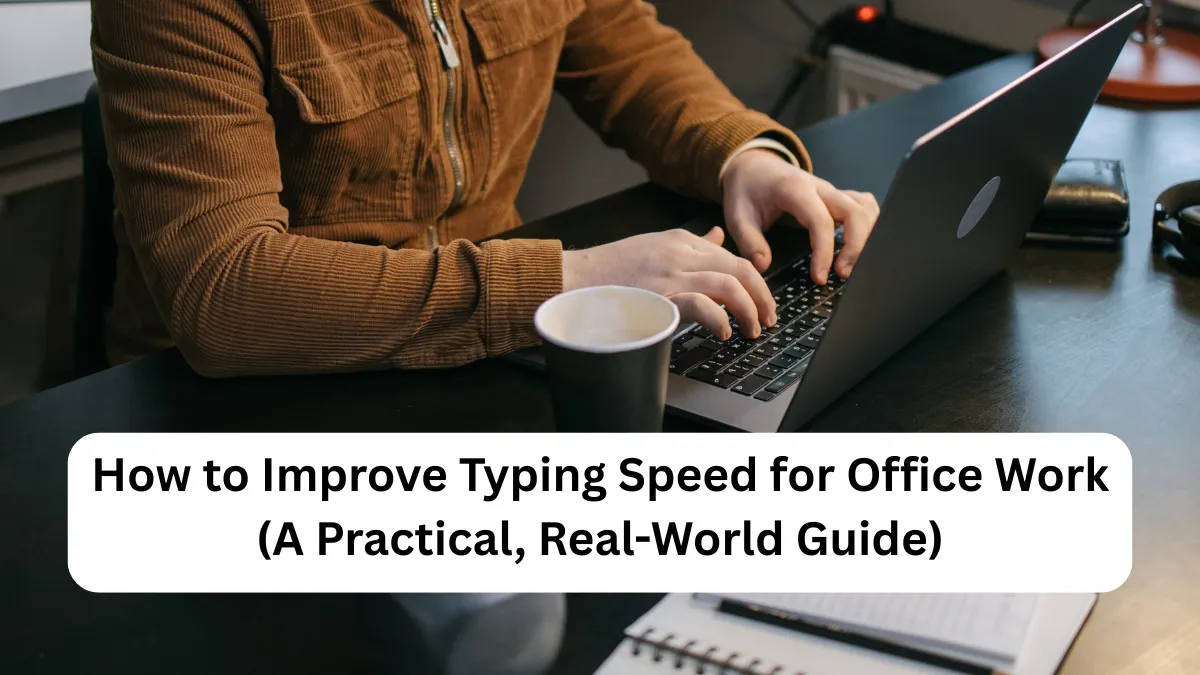
For many office workers in the United States, typing is a constant part of the day. Emails, reports, spreadsheets, chat messages, and forms all depend on it. When typing feels slow or uncomfortable, even simple tasks take longer than they should.
This often leads to frustration, mistakes, and extra time spent correcting errors. The good news is that typing speed is not a talent you are born with. It is a practical skill that can be improved at any age with the right approach and habits.
 How to Organize Digital Files Efficiently: A Simple Guide That Actually Works
This guide explains why typing speed problems happen and shows clear, step-by-step ways to improve typing speed for office work in a realistic and sustainable way.
Why Typing Speed Problems Happen
Before improving typing speed, it helps to understand what usually slows people down.
 How to Organize Digital Files Efficiently (A Simple Guide for Everyday Users)
Lack of Proper Finger Technique
Many people learned to type by watching the keyboard instead of learning finger placement. This “hunt and peck” style works for short messages but slows down longer office tasks.
Poor Posture and Desk Setup
Typing while slouching, reaching too far, or using an uncomfortable keyboard can cause fatigue. When your hands or shoulders get tired, speed drops quickly.
 How to Send Large Files Securely Online (A Simple Guide for Everyday Users)
Inconsistent Practice
Typing is a motor skill. Without regular practice, speed stays the same. Typing only emails and messages rarely challenges your current limits.
Fear of Making Mistakes
Some people type slowly because they focus too much on avoiding errors. This creates hesitation, which reduces flow and confidence.
 Online payment failed? What to do in the USA
Step-by-Step Ways to Improve Typing Speed for Office Work
Step 1: Learn Proper Finger Placement
This is the foundation of faster typing.
What to do:
 How to Reset Forgotten Passwords Safely: A Simple Guide for Everyday Users
- Place your fingers on the “home row” keys:
- Left hand: A, S, D, F
- Right hand: J, K, L, ;
- Thumbs rest lightly on the space bar.
- Each finger is responsible for specific keys.
Why it helps:
Your fingers learn where keys are without looking. This reduces pauses and builds muscle memory over time.
Step 2: Stop Looking at the Keyboard
Looking down breaks rhythm and slows you down.
How to practice:
- Cover the keyboard with a light cloth or use a keyboard cover.
- Force yourself to keep your eyes on the screen.
- Start with slow, simple typing and increase speed gradually.
Real-life example:
Many office workers notice improvement within two weeks just by breaking the habit of looking down while typing emails.
Step 3: Focus on Accuracy First, Speed Second
Speed improves naturally when accuracy improves.
Practical approach:
- Type slower than normal for a few days.
- Aim for clean sentences with minimal backspacing.
- Once accuracy improves, gradually increase pace.
Why this works:
Frequent errors interrupt flow. Fewer mistakes mean smoother, faster typing over time.
Step 4: Practice 10–15 Minutes Daily
Short, consistent practice is better than long sessions once a week.
Simple daily routine:
- 5 minutes: Warm-up typing simple sentences
- 5 minutes: Practice problem keys (letters you often miss)
- 5 minutes: Type a paragraph without stopping
Tip for office workers:
Practice before work or during a short break, not when you are already tired.
Step 5: Improve Your Typing Posture
Good posture directly affects typing speed and comfort.
Checklist:
- Feet flat on the floor
- Back straight, shoulders relaxed
- Elbows at a comfortable angle
- Keyboard at a height where wrists stay neutral
Why this matters:
Less strain means longer typing sessions without fatigue or stiffness.
Step 6: Use Real Office Content for Practice
Typing random words helps, but real content works better.
Practice ideas:
- Rewrite old emails
- Type meeting notes from handwritten drafts
- Re-type short reports or documents
This builds speed for the exact tasks you perform at work.
Step 7: Gradually Increase Speed Goals
Avoid unrealistic expectations.
Healthy progress:
- Increase speed by 5 words per minute at a time
- Maintain accuracy above comfort level
- Track progress weekly, not daily
Slow, steady improvement lasts longer and feels less stressful.
Helpful Tips to Improve Typing Speed Naturally
- Use a keyboard that feels comfortable, not necessarily expensive
- Keep hands relaxed, not stiff
- Take short breaks every 30–45 minutes
- Stretch fingers and wrists lightly
- Avoid typing angrily or rushing during stressful moments
These small habits make a big difference over time.
Common Mistakes to Avoid
Trying to Type Too Fast Too Soon
This leads to errors and frustration. Speed should grow naturally from accuracy.
Practicing Only When You Have Time
Waiting for “free time” often means no practice at all. Short daily sessions work best.
Ignoring Weak Keys
Everyone has problem letters. Identifying and practicing them speeds up progress.
Comparing Yourself to Others
Typing speed varies by job role and task. Focus on your own improvement, not benchmarks from others.
Conclusion
Improving typing speed for office work is about building better habits, not chasing instant results. Most typing problems come from poor technique, posture, or inconsistent practice—not lack of ability.
By focusing on finger placement, accuracy, posture, and short daily practice, typing becomes smoother and more comfortable. Over time, speed improves naturally, making everyday office tasks easier and less tiring.
FAQ’s
How long does it take to improve typing speed for office work?
Most people notice improvement within 2–4 weeks of consistent practice. Significant changes usually appear after two to three months.
Is touch typing necessary for office jobs?
It is not required, but it makes daily tasks faster and less tiring, especially for writing-heavy roles.
Can seniors improve typing speed?
Yes. Typing speed can improve at any age. Progress may be gradual, but consistency matters more than age.
Should I change my keyboard to type faster?
A comfortable keyboard helps, but technique and practice matter more than equipment.
✨ You May Also Like ✨